Showing posts with label Book Search. Show all posts

Tuesday, May 4, 2010

Google Editions Book Store to Be Launched Soon

Wall Street Journal reports that Google will launch a digital book store in late June or July.

"Google says its new service — called Google Editions — will allow users to buy digital copies of books they discover through its book-search service. It will also allow book retailers — even independent shops — to sell Google Editions on their own sites, taking the bulk of the revenue."

According to Google, the service will sell "online access to million of books. This means you can read an entire book from any Internet-connected computer, simply by logging in to your Book Search account, and it will remain on your electronic bookshelf, so you can come back and access it whenever you want in the future."


For now, Google Editions will only allow users to read in-print books, since Google can't yet distribute out-of-print books. Google's hosted electronic book store will have the following tagline: "buy anywhere, read anywhere," but I think Google should change it to: "buy anywhere, read anywhere you have Internet access".

Monday, March 15, 2010

Google Book Search's Irrelevant Suggestions

You probably noticed that Google's search services show different suggestions. For example, when you type "us" in Google Image Search, the first suggestion is "us map". Typing "us" in Google Web Search doesn't return the same suggestion: "us bank" is more popular. It makes sense to restrict the suggestions to queries that are popular in each specialized search engine because they're actually relevant.

Google Book Search seems to be the only Google service that shows irrelevant suggestions. When you type "shak", the top suggestions are "shakira" and "shake weight", even if "shakespeare" would be much more appropriate. Obviously, Google uses suggestions from the web search engine and "Shakira" is a more popular query than "Shakespeare".


"Suit the action to the word, the word to the action." (Hamlet)

Friday, October 9, 2009

Sergey Brin on Google Books Settlement

There's been a lot of talk about the Google Books settlement that would allow Google to provide access to out-of-print books in the US. This would unlock a lot of valuable information and would make it available in the Google Books interface.

New York Times published a thoughtful op-ed piece by Sergey Brin called "A Library to Last Forever", which tries to explain why the settlement is beneficial to everyone.
The vast majority of books ever written are not accessible to anyone except the most tenacious researchers at premier academic libraries. Books written after 1923 quickly disappear into a literary black hole. With rare exceptions, one can buy them only for the small number of years they are in print. After that, they are found only in a vanishing number of libraries and used book stores. (...)

[Some] have questioned the impact of the agreement on competition, or asserted that it would limit consumer choice with respect to out-of-print books. In reality, nothing in this agreement precludes any other company or organization from pursuing their own similar effort. The agreement limits consumer choice in out-of-print books about as much as it limits consumer choice in unicorns. Today, if you want to access a typical out-of-print book, you have only one choice — fly to one of a handful of leading libraries in the country and hope to find it in the stacks.

I wish there were a hundred services with which I could easily look at such a book; it would have saved me a lot of time, and it would have spared Google a tremendous amount of effort. But despite a number of important digitization efforts to date (Google has even helped fund others, including some by the Library of Congress), none have been at a comparable scale, simply because no one else has chosen to invest the requisite resources.

{ via Tom Stocky }

Thursday, June 18, 2009

A New Interface for Google Books

Google's book search engine has a new interface that adds many missing features. The sidebar has been moved to the left, you can now embed a book by click on "Link" and selecting the embedding code, there's a new thumbnail view for pages and the table of contents can be accessed as a drop-down.


The search option that restricts the results to a book has been improved: Google sorts the results by relevance and it's easier to navigate betweeen the search results. "Now, for public domain and partner books, we've made it easier to see exactly where your search term appears within the book by showing you more context around the term, including an image from the part of the page on which it appears. You can click on those images to navigate directly to the pages inside the book," explains Google.

Wednesday, February 18, 2009

Download Books from Google Book Search

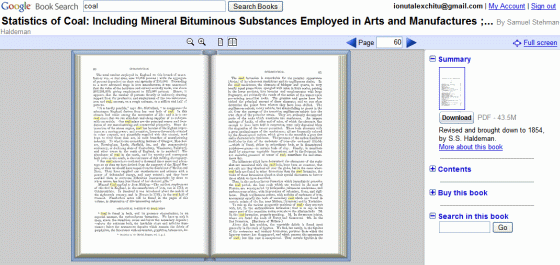
Google Book Search lets you download books, but only if they're in public domain, like Hamlet. All the other books are available as a limited preview or as a snippet view in Google Book Search.

You could download the image corresponding to each page of a book or you could automatize the process using a download manager. Another option is to use Google Book Downloader, a third-party Windows tool that downloads the pages from Google Book Search using several proxies and merges the images in a PDF file. Google Book Downloader will only retrieve the pages that are available online, so you won't be able to download entire books in most cases. The application requires .NET Framework 3.5 SP1 and it's not very clear if it breaks the terms of use for Google Book Search.

Monday, September 22, 2008

Embeddable Google Books

Google made it easy to embed in a site any book available at Google Book Search. You can add a fully-functional widget using this code:

<script type="text/javascript" src="http://books.google.com/books/previewlib.js"></script>
<script type="text/javascript">
GBS_insertEmbeddedViewer('GkCpLIk7aisC',600,500);
</script>

where you should replace GkCpLIk7aisC with the corresponding book ID, which can be obtained from the URL. Here's the result for "David Copperfield" by Charles Dickens:


"As on the Book Search site itself, you can search within the book, zoom in and out on the page, and browse up to 20% of the book," explains Inside Google Book Search. The new widget is already used by online catalogs like WorldCat.org and social book sites like weRead to preview books.

This is just one of the three Google Books APIs that allow programmatic access to more than one million books.

Tuesday, June 17, 2008

Froogle Integrates with Google Book Search

After updating the listings for electronics, Google Product Search (previously known as Froogle) integrated the data from Google's book search engine. In addition to the list of stores where you can find a certain book, Google shows a summary of the book, the table of contents, references from the web and related books. There's also a link to Google Book Search, where you can preview and search inside the book.


In other book-related news, Panlibus points to Zoomii, a great visualization for Amazon's bookstore where books are placed in virtual shelves. If the products are more tangible, people are more likely to buy them, so Google should show more visual information: images, videos, trend charts, feature comparison etc.

Friday, February 29, 2008

Google Book Search Adds a Social Layer

Book Search is the fourth Google service that integrates with the unified Google profiles. The list of favorite books includes a small widget with information from the Google profile.

If you find someone who has interesting books in his library, you can add him to a list of favorite libraries. Unfortunately, Google doesn't show when there are new books in your favorite libraries and doesn't make it easy to discover libraries that might interest you. Based on the books from your library, Google could recommend other similar books and a list of users with similar tastes. To make the library more personal, people should be able to annotate books and highlight interesting excerpts.


{ via Inside Book Search }

Thursday, January 3, 2008

Quantity Over Quality at Google Book Search

Campus Technology has a well-documented article about Google Book Search: The Good, the Bad & the Ugly, which suggests that Google's project is more about quantity than quality. For example, The University of California has to deliver 3,000 books a day to Google, according to their agreement. "All of the libraries are talking about that, in the sense of what might be the most interesting materials to scan. But I'll be very frank: There's a real balance point between volume and selection, especially when looking at these numbers. UC is trying to meet the needs of the contract it's signed," says Robin Chandler, former director of data acquisitions for UC's California Digital Library.

And since Google has to scan a lot of books, it needs a scalable scanning technology. "When it first started, the technical challenge was simply building a scanning device that worked. The next technical challenge was being able to run this scanning process at scale. We would have been quite happy to use commercial scanning technologies if they were adequate to scale to this. We only built our own scanning process because that was the way to make this project achievable for Google," says Dan Clancy from Google.

Surprisingly, the scanning process involves humans, as you can see in some books from Google's index (TechCrunch, Google Blogoscoped, George Hernandez, The Genealogue spotted fingers). "If you go into Google [Book Search] and look at any book, you'll be able to see by the number of body parts and fingerprints that [the pages] are being turned manually," suggests Linda Becker, VP at Kirtas, the company that produces the fastest robotic book scanner in the world: APT BookScan 2400. "If you were to go to the Google site, you'd see that one out of every five pages is either missing, or has fingers in it, or is cut off, or is blurry."


Larry Page announced in October 2007 that the book search index is "over a million books". A search for "now" returns 2,190,600 results (1,740,600 available in limited preview and 214,600 fully available for reading and downloading).

The conclusion of the article is optimistic:
When it comes down to it, then, this brave new world of book search probably needs to be understood as Book Search 1.0. And maybe participants should not get so hung up on quality that they obstruct the flow of an astounding amount of information. Right now, say many, the conveyor belt is running and the goal is to manage quantity, knowing that with time the rest of what's important will follow. Certainly, there's little doubt that in five years or so, Book Search as defined by Google will be very different. The lawsuits will have been resolved, the copyright issues sorted out, the standards settled, the technologies more broadly available, the integration more transparent.

Wednesday, September 26, 2007

New Homepage for Google Book Search

Google Books Search's redesigned homepage invites you to discover books by clicking on a category or the cover of a popular book. "At Book Search, we have a lot of books, but we don't have shelves or sections, which can make casually browsing books in our index difficult," mentions the product's blog. The intimidating search box is placed at the top of the page, leaving space for some examples of books:

* interesting: practical books like "How to be an even better manager", Math books, medical books

* classics: Shakespeare, Walter Scott, Goethe, Francis Bacon, Alexander Pope - all of them are in the public domain and can be downloaded as PDF files

* highly cited in scholar papers: authoritative books like Hegel's "Science of logic", Thomas Hobbes' "Leviathan"

* random subject: books from a randomly-selected topic

Google also lists the main subjects for fiction and non-fiction books and some random subjects. It's interesting that Google Book Search defaults to the cover view when you explore the books from a subject and to the list view when you do a normal search.

For ambiguous queries like [logic], you'll be able to restrict the results to an appropriate subject. You can also use the subject: operator to make your search more precise (for example: war subject:"Science fiction"). Google doesn't offer the complete hierarchy of subjects, so a clever autocomplete would be helpful.

Thursday, September 6, 2007

An Online Version of Your Library

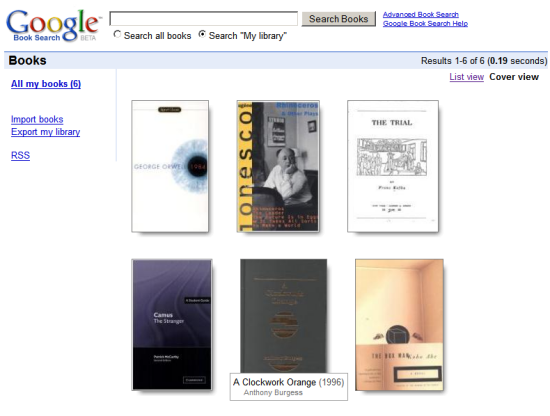
Google Book Search has an incredibly useful new feature that lets you build a virtual library of your favorite books. You can import the books if you have a list of ISBNs or search them and click on "Add to library".

Your library has a public URL you can share with other people (here's mine) and even a feed. You can also write reviews, rate the books or categorize them using tags. Probably the most important reason you should build the library is because it becomes searchable. Imagine being able to find a scene from one of your books without knowing its title and by typing some keywords that describe the scene. Of course, Google didn't index all the books in the world, so many of your favorite books aren't yet searchable.

Another new feature is the "cover view", a way to only see the book covers and leave out the additional details. To find the author and the title of a book, hover over its cover.


Book summaries also show popular fragments quoted by other books. "Digitized text is useful beyond search, too. It enables us to infer connections between books through shared passages. (...) You can discover connections between books through quotations like this in a feature we call Popular passages," notes the Google blog.

New York Times reports that Google will also add a way to view the full text of some copyrighted books, but I hope this won't end up like Google Video Store. "This fall, Google plans to start charging users for full online access to the digital copies of some books in its database, according to people with knowledge of its plans. Publishers will set the prices for their own books and share the revenue with Google. So far, Google has made only limited excerpts of copyrighted books available to its users." I discovered this new feature in January in a Google page that describes how it works: "With online access, users who discover a book through Google Book Search will be able to pay for immediate access to its full contents. (...) The book will be available to users only through their browser, and only when they've signed in with their personal account. Users cannot save a copy on their computer or copy pages from the book."

Wednesday, August 29, 2007

The Quality of Google Book Search


Paul Duguid wrote an interesting article about Google Book Search in which he analyzed the quality of the indexed editions and the search results by doing a search for Lawrence Sterne's "Tristram Shandy", a novel from the 18th century. Mr. Duguid noticed that the Harvard edition of the book had many quality problems and some text wasn't scanned properly. Google Book Search doesn't distinguish between the volumes of a book, so it's difficult to realize that the Stanford edition is actually the second volume of the book.
Google may or may not be sucking the air out of other digitization projects, but like Project Gutenberg before, it is certainly sucking better–forgotten versions of classic texts from justified oblivion and presenting them as the first choice to readers. (...) The Google Books Project is no doubt an important, in many ways invaluable, project. It is also, on the brief evidence given here, a highly problematic one. Relying on the power of its search tools, Google has ignored elemental metadata, such as volume numbers. The quality of its scanning (and so we may presume its searching) is at times completely inadequate. The editions offered (by search or by sale) are, at best, regrettable. Curiously, this suggests to me that it may be Google's technicians, and not librarians, who are the great romanticisers of the book. Google Books takes books as a storehouse of wisdom to be opened up with new tools. They fail to see what librarians know: books can be obtuse, obdurate, even obnoxious things. As a group, they don't submit equally to a standard shelf, a standard scanner, or a standard ontology.

Patrick Leary, the author of the article Googling the Victorians (PDF), has a pragmatical response, as seen on O'Reilly Radar:
Mass digitization is all about trade-offs. All mass digitizing programs compromise textual accuracy and bibliographical meta-data so that they can afford to include many more texts at a reasonable cost in money and time. All texts in mass digitization collections are corrupt to some degree. Everything else being equal, the more limited the number of texts included in a digital collection, the more care can be lavished on each text. Assessing the balance of value involved in this trade-off, I think, is one of the main places where we part company. You conclude, on the basis of your inspection of these two volumes, that the corruption of texts like Tristram Shandy makes Google Books a "highly problematic" way of getting at the meanings of the books it includes. By contrast, while acknowledging how unfortunate are some of the problems you mention, I believe that the sheer scale of the project and the power of its search function together far outweigh these "problematic" elements.

When scanning and indexing millions of books, it's difficult to assess the quality of each edition. Google Book Search's main goal is to let you discover books you can borrow or buy later on. But Google could add an option to rate the quality of each digitized book or build algorithms that detect flaws or differences between editions. So the next time you do a search for Tristram Shandy, all the editions are clustered and the best one comes up first.

Monday, August 13, 2007

The History of Your Book Searches

Google Web History is more useful starting from today because it has support for a new Google service: Book Search. All your queries, all the books you've opened and a list of the pages you've read are available, sorted chronologically. You can also search the books, but only the title is searchable, which is rather weird.

Web History is a service that lets you "view and search across web pages you've visited in the past". The standard version only logs your Google queries and the associated search results you click on, but if you enable web history, Google can track all the pages you visit. This makes your web history persistent (browsers usually keep your history for about 7 days), fully searchable and always available.

Tuesday, July 3, 2007

Google Book Search Is More Accessible

Google Book Search lets you see the actual text of public domain books, not just the scanned images. If you click on "view plain text" in the sidebar, you'll only see the pages that contain text. This is useful if you want to copy some text: just select the text and press Ctrl+C. But it also opens up "hundreds of thousands of books to people who use adaptive technologies such as speech output, screen readers, and Braille displays". It's strange that Google only offers the option to download the books as PDFs and not as text files or HTML files, like many other sites (Project Gutenberg's search features are pretty bad). Google doesn't make it easy to find public domain books either: not all the books that are available in "full view" are in the public domain.

Another enhancement is an AJAX-less version of the site, that should work better on older browsers and mobile devices.

Thursday, February 1, 2007

Doing What's Important

This is a very meaningful quote from Sergey Brin, Google's co-founder:
We've had this fortunate streak that when we've done things that have impacted our users and society as a whole — positively, in a significant way — we've been rewarded by that downstream in some way, even though we may not have envisioned exactly what it was right offhand. We didn't have ads when we first put up Web search. It wasn't clear it was great business when we started search. In fact, the companies that were doing search were moving away from it. But we just thought it was important, and we thought that where there was a will there would be a way. And in fact it turned out to be a great way to make money doing search with targeted advertising.

That was Sergey's answer to New Yorker's question if book search could be a profitable business. Even if it's not, it's too important not to do it.

No one really knows how many books there are. The most volumes listed in any catalogue is thirty-two million, the number in WorldCat, a database of titles from more than twenty-five thousand libraries around the world. Google aims to scan at least that many. "We think that we can do it all inside of ten years," Marissa Mayer, a vice-president at Google who is in charge of the books project, said recently, at the company’s headquarters, in Mountain View, California. "It's mind-boggling to me, how close it is. I think of Google Books as our moon shot."

Google hopes to improve the quality of the search results, because books contain much valuable information than web sites. "Google has become known for providing access to all of the world's knowledge, and if we provide access to books we are going to get much higher-quality and much more reliable information. We are moving up the food chain."

Friday, January 26, 2007

Mapping the Locations Mentioned in a Book

Google Book Search shows a map that contains some of the locations referenced in a certain book (like War and Peace). If you click on a red balloon, you'll see an excerpt from the book and other pages that talk about that location. The mashup can be found in a special page that shows more information about a book, including a summary, related books and links to book stores. Inside Google Book Search shows more examples of books that have "a good number of quality locations".


Another interesting site that brings maps and books together is Gutenkarte, "a geographic text browser, intended to help readers explore the spatial component of classic works of literature", but its interface is more difficult to use.

Sunday, January 21, 2007

Google Will Let You Read Books Online

Google's book search program will give publishers a new option to monetize their content: sell online access. Currently a very small part of the books indexed by Google can be read entirely and most are public domain books.

"With online access, users who discover a book through Google Book Search will be able to pay for immediate access to its full contents. (...) The book will be available to users only through their browser, and only when they've signed in with their personal account. Users cannot save a copy on their computer or copy pages from the book."

So you'll not actually buy a book (even in a digital format), you'll buy the right to read it online. As the price should be much smaller than for a PDF, this might be an option if you just need some information from a book.

Google doesn't think this system could be a substitute for book stores. "You may just want to rent a travel guide for the holiday or buy a chapter of a book. Ultimately, it will be the readers who decide how books are read," says Jens Redmer, from Google Europe.

Homework:
1. What do you think it's the future of books?
2. Would you read books online?

Thursday, December 21, 2006

Google Books Generates Results in No Time


If you do a search on Google Book Search, Google says it found the results in "0.00 seconds". Even for advanced queries, Google's performance is amazing.

Does this happen because Google doesn't index too many* books or it's just a bug?

* A search for a common word like "they" returns 3,520,600 results.

Thursday, December 7, 2006

The Stories of Google Books and Google Scholar

Ben Bunnell tells the stories of Google Book Search and Google Scholar, two tools that let you find books and scholar papers. Although both were launched in 2004, Google's founders were thinking about creating a book search tool when they were at Stanford and worked on the Digital Library Initiative.

Thursday, November 23, 2006

Why Use Google Book Search?


Google Book Search is a service that lets you search more than 500 million pages of scanned books and the number grows every day. But why would you need that when you could go to a library? Well, sometimes it's hard to discover books only from the title and description and once you discovered them it's hard to actually find them in libraries and book stores.

1. You have a quote from a book, but you don't know where it's from.

2. You have a quote from a book, and you want to find the context. Maybe you want to read the poem that contains the famous "eternal sunshine of the spotless mind".

3. Maybe you have a book and you want to read again a certain fragment. But it's hard to find it, even though you remember some keywords.

4. Search your bookshelves. You can't restrict the search to your books, but if you enter something unique (name of a character), you'll discover the book.

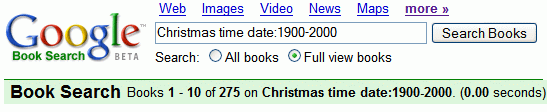
5. Search within books published in a certain year, to see different perspectives on a subject.

6. Find references from other books to a certain book.

7. Search for an affirmation or the prefix of an affirmation ("Paris is the only city...").

8. Find contexts for rare or difficult words (ineluctable).

9. Read out-of-copyright books online or download them as PDF files.

10. Detect plagiarism, as this article shows.

Related:
Google's Digital Library of Alexandria
Download public domain books