Showing posts with label Social. Show all posts

Friday, August 6, 2010

Google Buys Slide

Google announced that it has acquired Slide, a start-up that develops social apps. TechCrunch reports that Google paid $228 million for Slide, after investing in Zynga, one of Slide's competitors.

"For Google, the web is about people, and we're working to develop open, transparent and interesting (and fun!) ways to allow our users to take full advantage of how technology can bring them closer to friends and family and provide useful information just for them. Slide has already created compelling social experiences for tens of millions of people across many platforms, and we've already built strong social elements into products like Gmail, Docs, Blogger, Picasa and YouTube. As the Slide team joins Google, we'll be investing even more to make Google services socially aware and expand these capabilities for our users across the web."

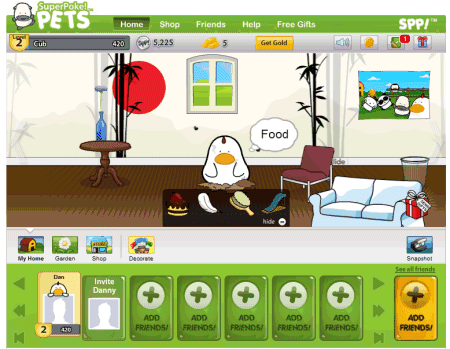
It's obvious that Google plans to launch a social service to compete with Facebook, but it's not clear why it would buy a company that develops apps like SuperPoke, SuperPoke Pets or FunSpace. Maybe for Slide's engineering talent, Slide's valuable analytics data or maybe because it couldn't buy Zynga.

Social networks and online games account for about 33% of the time spent online in the US, according to a Nielsen study. Tom Chatfield, the author of Fun Inc: Why Games Are The 21st Century's Most Serious Business, thinks that social games aren't a fad: "People realised that a social platform like Facebook gives people ways to show off to, or compete with, their friends. It's so much more engaging to do something with people you know than to do it with strangers. You can cheat if you're playing online with strangers, but playing with friends is an incentive to be fair, and that brings the emotional rewards of competition."

Since Facebook has the Internet's main social graph and stores data about more than 500 million users, all the cool social apps integrate with Facebook. In the future, every web application will have a social component, which will probably powered by Facebook, a closed social network that traps user data.

OpenSocial is a Google project whose goal was to create social apps that work in any social network. FriendConnect was designed to transform any site in an OpenSocial container. Buzz is the epitome of openness, by embracing open standards and allowing anyone to access the firehose, which includes public activity from every Buzz user. Unfortunately, these projects haven't been very successful, so Google will have to build a social network on top of OpenSocial, Google Buzz and Google Profiles. The project is crucial for the future of Google search, Google ads, Google's web apps and maybe more than that.

Peter Norvig says in an interview that Google's biggest mistake was ignoring social networking.

"I can't speak for the whole company, but I guess not embracing the social aspects [was Google's biggest mistakes]. Facebook came along and has been very successful, and I may have dismissed that early on. There was this initial feeling of, 'Well, this is about real, valid information, and Facebook is more about celebrity gossip or something.' I think I missed the fact that there is real importance to having a social network and getting these recommendations from friends. I might have been too focused on getting the facts and figures—to answer a query such as 'What digital camera should I buy?' with the best reviews and facts, when some people might prefer to know 'Oh, my friend Sally got that one; I'll just get the same thing.' Maybe something isn't the right answer just because your friends like it, but there is something useful there, and that's a factor we have to weigh in along with the others."

Wednesday, July 28, 2010

A New Social Google Service?

There's a lot of speculation about a new Google service called "Google Me" that is supposed to compete with Facebook. Most likely, the service will expand the already existing profiles and activity streams, while adding support for social apps.

Wall Street Journal reports that Google has been in discussion with companies that develop social games for Facebook. "Google is in talks with several makers of popular online games as it seeks to develop a broader social-networking service that could compete with Facebook, according to people familiar with the matter."

Google's CEO, Eric Schmidt, said that "the world doesn't need a copy of the same thing", suggesting that Google won't try to imitate Facebook. It's clear that Google hasn't anticipated Facebook's success, placed losing bets and efforts like OpenSocial couldn't save Facebook's competitors from extinction.

Now that people spend a lot of time online using Facebook and find information filtered by their friends, even Google's search engine can become less useful. A lot of information is trapped inside Facebook: social connections, status messages, discussions and Google can't use most of the data to improve the relevance of search results.

Google has been more concerned with creating open standards for building social apps, for delivering real-time notifications, for public preferences, aggregating social graph data, but it didn't manage to build a coherent user experience that links all these pieces.

Thursday, July 15, 2010

Google and the Value of Social Networking

Many people wonder why Google didn't manage to build successful social services. Orkut's success is limited to Brazil and India, iGoogle's social gadgets aren't popular, Friend Connect isn't widely used, Google Buzz has a lot of potential, but not much success.

Aaron Iba, a former Google employee, thinks that Google failed to realize the value of social networking:
I worked at Google in 2005 and briefly on the Orkut team. I encountered an environment that viewed social networking as a frivolous form of entertainment rather than a real utility, and I'm pretty sure this viewpoint was shared all the way up the chain of command to the founders.

At that time, hardly anyone at Google actually used Facebook, so they just didn't understand what people were getting out of social networking products. Incredibly, many people on the Orkut team did not use their own product (let alone Facebook) outside of work. By contrast, everyone I know who worked at Facebook was a passionate user of that product.

Ultimately, I believe Google didn't succeed at social networking because of this widespread misunderstanding of the value in social networking products.

Google's attempts to build social services were unsuccessful because they didn't add a lot of value. Paul Adams, user experience researcher at Google, thinks that "the social web is not a fad, and it's not going away. It's not an add-on to the web as we know it today. It's a fundamental change, a re-architecture, and in hindsight its evolution is obvious. The emergence of the social web is simply our online world catching up with our offline world."

Saturday, February 13, 2010

Google Buys Aardvark

Google acquired Aardvark, a start-up that helps you find answers to your questions in an interesting way.

"Aardvark is a new kind of tool that lets you tap into the knowledge and experience of friends and friends-of-friends. Send Aardvark a question (from the web, IM, email, Twitter, or iPhone) and you'll get a quick, helpful response from someone with the right knowledge and experience to help," explains the FAQ page.

Instead of sending a question to all your Twitter followers or Facebook friends, you could use Aardvark and send the question to those that have the expertise to answer it. When you sign up for Aardvark, you need to enter your main interests. Aardvark automatically tags questions, tries to find the users that could answer the questions and sends them the questions.

Aardvark uses a lot of signals to determine the people that receive your question: related topics in profiles, how you're connected to people, who you trust, your history of training Aardvark, people who share your favorites (for taste-related questions), people in the right location (for location-related questions). It's quite clever and it's very similar to Google's ranking algorithms. Instead of matching a query to the best search results, Aardvark matches a question to the best people that can answer it.

"On average, we have to contact eight people to get two who are willing and online. But we look at thousands in order to build the list of the top prospects," explains Nicholas Chim, a senior engineer at Aardvark.


This is the future of social search and Google is already in the process of integrating social search with standard search results. For now, Google indexes existing user-generated content from your social connections, but it's not difficult to anticipate that Google Social Search will generate new content.

"When you need an answer to a very specific question, sometimes the information just isn't online in one simple place. For example, let's say you want to know if there's snow on Skyline Boulevard on a given day or the best time of year to plant beans in the Bay Area. You might find weather reports and planting guides on many different sites, but for these kinds of questions, a person with the right expertise can be a lot more useful than a webpage," mentions Google's blog.

Aardvark's acquisition is special for many reasons: Aardvark's chief executive is a former Google employee, the service is still available even if it was acquired by Google and it's the first acquisition directly added to Google Labs.

"Aardvark is meant for tips, advice, opinions, and recommendations that pull knowledge from a trusted network." Here's an example of conversation:


A Google Labs user posted a way to find if it's a good idea to ask a question using Aardvark:

"Ask subjective questions that are interesting for someone to answer and rich in context. My rule of thumb is to ask anything that could be better answered if I gave a second sentence of context. If no second sentence would really help get me a better answer (like "who was the 40th president?") then it's probably a better question for Google."

It will be interesting to see how Aardvark integrates with Google Buzz, Google Talk and Google Search.

Monday, October 26, 2009

Google Social Search

Last week, Marissa Mayer announced at the Web 2.0 Summit a new experimental feature that will improve search results with web pages created by your social connections.

"Due to the ever-increasing popularity of social networks, we've been thinking about how your social network could influence and improve your search results. Social Search does just that by surfacing content in your search results that is written by your friends or people you follow. That way, you get the best resources from the web overall, plus the best results (blogs, reviews, travelogues) that are relevant to you, since they were written by people you know. Social Search will be launching soon on Google Experimental and Google Labs," explained Marissa Mayer.

The feature is opt-in and it's strongly connected to Google Profiles and Gmail. For example, if you add a link to your Twitter page to your Google profile, Google will find the people you follow and the content they produce: blogs, photo albums, videos, reviews. If your query returns useful results from your social connections, Google will display the results at the bottom of the search results pages.


In an interview from 2008, Marissa Mayer said that social search is very important. "We believe social search is any search aided by a social interaction or a social connection… Social search happens every day. When you ask a friend "what movies are good to go see?" or "where should we go to dinner?", you are doing a verbal social search. You're trying to leverage that social connection to try and get a piece of information that would be better than what you'd come up with on your own. (...) I think one way Google will be better is in understanding more about you and understanding more about your social context: Who your friends are, what you like to do, where you are. Given how things have transitioned online – everything from travel planning to purchasing books — my belief is that a lot of those physical questions we ask now will ultimately begin to transition to the online medium and that social context will be leveraged there."

Update: Google Social Search is now available in Google Labs. Join the first experiment and then type your query at google.com. If you don't see an OneBox at the bottom of the search results pages, click on "Search Options" and select "Social" to restrict the results to your social circle.


A help center page explains who is in your social circle:

* People you're connected to through social services, such as Twitter and FriendFeed, that you've listed in your Google profile.
* People in your Gmail (or Google Talk) chat list.
* People in your Friends, Family, and Coworkers contact groups for Google.

For some reason, Google decided to arbitrarily expand your social circle to people you don't even know. "If someone you don't know shows up in your social search results, it's likely that they're connected to someone you do know. Social Search includes results from public connections of your immediate social circle, since there's a high likelihood that you know them as well. For example, if you're following someone on Twitter, and that person is following five other people, those five other people are also included in your social circle."

Social Search also includes your Google Reader subscriptions, so it's now easier to search Google Reader.


{ via Search Engine Roundtable and Google Blog }

Thursday, August 6, 2009

Social iGoogle Tested in Australia

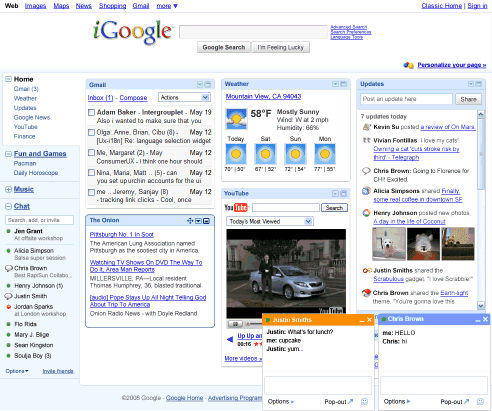
The main reason for one of the most hated Google redesigns, the famous iGoogle update from 2008, was to transform gadgets into social web applications. The visible changes didn't make the upgrade compelling, since most users only saw a sidebar that took away some space from an already crowded homepage. Some gadgets could be maximized in a canvas view to display even more information, but not many gadgets used this opportunity in a meaningful way.


Google didn't offer an option to switch back to the classic iGoogle interface, but you can still find it if you go to http://www.google.com/ig?hl=all and in some local versions of iGoogle.

The second step of the iGoogle update is to make it more social by converting iGoogle into an OpenSocial container. That means you'll be able to add to iGoogle applications that are already available in social networks like MySpace, Orkut, LinkedIn. The main problem is that iGoogle is not a social network and the "friendship" concept is vague in the GoogleLand.

Google Australia announces that the local version of iGoogle has already added the social features:

"Starting this week, we're rolling out some new social gadgets for iGoogle to all Australian users. Not only can you continue to do all the things you love to do on your homepage, but you now have the option to share all kinds of information, play games and collaborate with your friends too. (...) Your current gadgets will continue to work normally and you don't have to take advantage of the social gadgets if you decide it doesn't fit your interest. But by adding and enabling social gadgets, you'll be able to have an even deeper, interactive experience with your gadgets when you share them with friends."

But who are these Google friends? The answer is pretty simple: the contacts from the built-in Friends group.

"Friends is a group to help you organize your contacts. You can move contacts in and out of this group at any time, and this is the only group of people who can see your updates and with whom you can share social gadgets and social gadget activities. Similarly, you can see someone else's updates or social gadget activities only if they have included you in their Friends group."

For Google, friendship is a one-way concept. You don't have to invite other people to become your friends: just add them to the built-in Friends group and they'll be able "to see what you share or do in social gadgets through the gadgets themselves, or through a new feed of information called Updates, a way to see what your friends are doing on iGoogle".

An example of social-enabled gadget is "Social Photos", which shows the latest photos uploaded to Picasa Web and Flickr by your friends.


Other examples include: the "Timeline" gadget, that lets you share what you are doing and see your friends' status messages on a timeline; puzzles and games like NY Times Crossword, chess, trivia; collaborative gadgets like ToDo List.

The features will be rolled out this week at iGoogle Australia, but you can also try them in the iGoogle Developer Sandbox. Developers can find more about iGoogle's social gadgets by visiting this page.

Friday, June 12, 2009

Integrate Google Latitude with Your Google Profile


If you want to display the location from Google Latitude on your Google profile, follow these steps:

* set your location using the iGoogle gadget or the mobile application.

* enable the public location badge, by selecting "Enable and show city-level only" or "Enable and show best available location". You should be aware that your location is now publicly available and it can displayed in a variety of ways using Google's API.

* edit your profile and select "Display my Latitude location". Google mentions that "your location appears on your profile, below your name, occupation, and city where you live, as long as you've updated it on Latitude within the last 24 hours."

In other news, Google started to show rich snippets for the results from Google Profiles. Google extracts structured data about jobs from profiles.

Wednesday, May 27, 2009

Google Friend Connect Adds Global Conversations

Web Elements is Google's new one-stop shop for services that can be embedded into any web page without requiring coding skills. You can embed maps, search results, calendars, news, spreadsheets, presentations, YouTube channels, but all of these features were already available in similar formats.

Friend Connect added an interesting web element for global conversations. "A global conversation is a conversation that takes place on several web site simultaneously. You can tell that you are looking at a global conversation because it says "Global conversation - learn more" underneath the title of the conversation. When you post to a global conversation, such as "mandolins", the post not only shows up on the web site where you posted it, but it also shows up on any site that chooses to embed the conversation, now or in the future."


So you can create an ad-hoc chat room that can be embedded in any web page that will continue the conversation. Friend Connect comes with an authentication system that doesn't require creating a new account, an option to use existing profiles, threaded comments, basic spam filtering, comment translation and other useful features.

Friday, May 22, 2009

Google Reader Gets More Social

The "What's popular" iGoogle gadget, launched last month as a simple way to discover interesting web pages, has been improved and you can now automatically add the shared items from Google Reader.

The option is disabled by default, but you can enable it in the new settings page. "Automatically submit items you share via Google Reader into the What's Popular gadget. These shares will be attributed to you. Changing this setting will only affect new shared items from Google Reader."


Google's gadget includes web pages from different sources: user-contributed pages, popular posts from Google Reader and popular videos from YouTube. You can rate the pages that you like or dislike by clicking the voting buttons displayed next to each item, much like in Digg, Reddit or Yahoo Buzz.


The gadget can be added to your personalized Google homepage, but you can also bookmark this URL. "What's popular" has less than 17,000 users, but that's probably because Google hasn't officially launched it yet.

Google Reader has an enormous amount of attention data (starred items, shared items, pages that are read or emailed), but it didn't use it to recommend popular posts, except for the "What's cool in Google Reader" feed.

{ via Blogoscoped Forum }

Friday, May 1, 2009

Google Business Cards

To promote the public profile pages, Google started to offer 250,000 free business cards in the US (the link only works in the US). "We are giving away 10,000 sets of 25 Google profile business cards totally free. Have a little fun and show off your profile," suggests Google.

Google's business cards are less conventional, since they only include a search box pre-filled with your name and a link to your profile page. If you have a public profile that's searchable, Google will include it at the bottom of the search results page for your name.

Search Engine Land reports that Google uses iPrint's technology to print the business cards. "The offer is only available in the continental U.S., and Google says the cards should arrive within 10-12 days."


The idea is far from new, but the addition of an OneBox for profile search is a big incentive to create a profile and to manage your online reputation.

{ Image licensed as Creative Commons by Bruno Pedro. }

Saturday, April 25, 2009

What's Popular Around the Web

Steve Rubel found a new gadget developed by Google that highlights popular content from the web. Much like Digg, Reddit or Yahoo Buzz, you can vote the web pages and add content you find interesting.


Here's how Google describes the "What's Popular" gadget:
The What's Popular gadget by Google helps you discover interesting items from all over the Internet.

How we find interesting stuff
What's Popular uses algorithms to find interesting content from a combination of your submissions and trends in aggregated user activity across a variety of Google services, like YouTube and Google Reader.

Ratings
You can rate items that you like or dislike by clicking the ratings buttons next to each item. If you change your mind, you can change your rating at anytime. The What's Popular gadget looks at what users liked or disliked to improve its ranking of interesting items.

Add a URL
Tell What's Popular about interesting items you have found! If they become popular, they may rise to the top of our list! You can submit an item with or without attribution to yourself and preview your submission before you post. If you decide to associate your username with your submission you'll be able to edit its title and description. The items you submitted can be found in the "My adds" area, where you can remove your name if you change your mind.

The gadget is a part of a service that will be released in Google Labs, where it's already hosted. Right now, the most popular web page has 13 pops (probably a name for upvotes), there are three categories: stories, videos, images and the pages are sorted by relevancy, the algorithm favoring recent content.

Tuesday, April 21, 2009

Google People Search

Google's search results now include a special section for Google Profiles at the bottom of the page. If you search for a name like Jon Wiley, Google will show a list of the top results from Google Profile Search, followed by links to some popular social networks: MySpace, Facebook, Classmates and LinkedIn.


If you checked "Display my full name so I can be found in search", your profile will be included in the search results. "If you want your profile to appear in Google search results, make sure you've selected to display your full name on the Edit profile page. Adding more information will help you improve your profile's rank," explains Google.

Here are some other tips to improve your ranking in Google's people search engine:

* link to the profile from other sites
* verify your name
* include a photo and enough details about yourself

A quick way to access your profile is to search for [me], but you can also go to http://www.google.com/profiles or click on "My account" and select "Edit profile".

It's worth pointing out that you need to explicitly create a public profile and the profile is not included in the search results without your permission.


{ via Google Blog }

Tuesday, April 14, 2009

Friendlier Google Profile Addresses

Google Profiles have cryptic web addresses that include 21-digit IDs to make them impossible to guess. One option to make the profile more accessible is to check "Display my full name so I can be found in search", an option that makes the profile searchable.

Another option is to change the profile's URL to http://www.google.com/profiles/username, where "username" is the name of your Gmail account or an alias for those who use regular Google accounts. For example, the address http://www.google.com/profiles/117377434815709898403 becomes http://www.google.com/profiles/dclinton.

"To make it easier for people to find your profile, you can customize your URL with your Google email username. (Note this can make your Google email address publicly discoverable.) This unique name will also be used in other links to your content on Google," explains Google.

You can always change your mind and go back to the default URL, but it's important to realize that the profile is public and anyone who finds the URL can access it. And once you know the URL of a Google profile, you can find other things: Google Maps reviews and edits, Google forum questions, Google Books collections and probably other activity pages.

Update: Google's algorithm for selecting the username is unnecessarily complicated. "If you use Gmail, and decide to customize your profile URL, your Gmail username, not your Picasa username, will be displayed in your URL. If you don't use Gmail and have a Picasa username, you'll have the option to display your Picasa username in your profile URL. You won't be able, however, to create a new username. If you have more than one Picasa username, we'll select the active username for your profile. If you later switch to a different Picasa username, your profile username won't change."

{ via DeWitt }

Wednesday, February 25, 2009

Google Shared Stuff to Be Discontinued

Google Shared Stuff, the social bookmarking service that has never been officially launched, will no longer be available after the end of March.

Google Shared Stuff was only used to share videos at Google Video and Knol articles, but it was buggy and underdeveloped. Shared Stuff combined different ways to share pages with other people: by email, using social sites like del.icio.us or by adding them to a public page.


As usually, Google's suggestions for replacing the discontinued services are hilarious:

"If you want another way to share videos, you can use the "Share" link below each YouTube video. You can also create a public Google Site if you want to share websites and links with friends."

A more appropriate replacement is Google Reader's sharing bookmarklet, that lets you share content from any web page. There's also AddToAny, which combines multiple sharing options in a crowded page. Many other social sites offer sharing bookmarklets: Facebook, FriendFeed, del.icio.us.

{ Thanks, Jamie. }

Thursday, January 15, 2009

Share Personal Information with Your Gmail Contacts

Google Profiles has a new feature that lets you share information about yourself with your contacts. "This information is not public.You control who sees it. Once you've entered your contact information here, you can share it with your friends and family, so they always have the most up-to-date information."

You can add your email addresses, phone numbers, and home address, and allow all your contacts or specific contact groups, like Friends or Family, to see this information on your profile. For some reason, Google doesn't prefill some of the fields like the email address or your Google Talk ID and you can't share the data with contacts that are not part of a group.


It's not clear if the shared data will be used in Gmail, but Microsoft offers a similar feature called Windows Live People that's integrated with Hotmail. "Windows Live People allows real-time updates to contact's information. Suppose one of the user's contacts just moved and has a new home address. When that contact enters their new information in Windows Live People, the user's contact list across Windows Live services is automatically updated in real time."

{ via Blogoscoped Forum }

Friday, December 5, 2008

Google Friend Connect, Publicly Available

Google Friend Connect, the service that lets you add social features to a site without writing any code, is now available to everyone. Users don't need to setup a special account for a new site: they can log in using an existing account from Google, Yahoo, AOL or using an OpenID. They can also import a profile and the list of friends from a social network, but the only options are Google Talk, orkut and LinkedIn.

Google provides some basic gadgets that allow users to interact with a site: the members gadget that lists some of the people who joined the site, the wall gadget that lets you post general comments about the site and the review gadget, which associates the comments with an item from site (a blog post, a video). Friend Connect also supports OpenSocial gadgets, but there's no official directory of gadgets.

Google's new service is not yet a good way to build a community because it doesn't integrate with a site. You can only customize the appearance of a gadget, but you can't integrate your existing commenting system with Friend Connect or gain access to in-depth stats about your members.

You need to upload two files for RPC relay and canvas view, which is not always possible if you use a hosted blog service. Fortunately, Blogger already has the two files, so it's even easier to setup Friend Connect.

I added the members gadget and the wall, where you can post comments and links to YouTube videos:


Here's a short video that explains how to use Friend Connect:

Tuesday, November 11, 2008

Contact Forms in Google Profiles

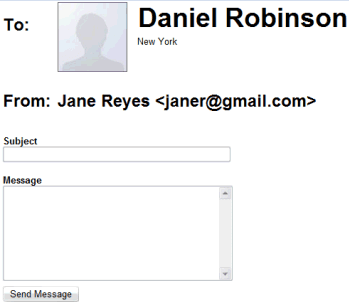
If you enable "Allow people to contact me through my profile (without showing my email address)" in your Google Profile, people who find your profile can contact you. Google provides a contact form that sends all the messages to your main email address. "We've set some limits on how often messages can be sent and received, and you can disable the feature at any time by editing your profile and deselecting the checkbox," explains Google.


At the bottom of the email, Google shows an explanation:

"This message was sent to you from your Google profile. The sender does not have your email address. If you no longer wish to receive messages from your Google profile, you may edit your settings at http://www.google.com/s2/profiles/me/editprofile".

{ via GoogleWatchBlog }

Monday, November 3, 2008

Google Profile Search

You can now search Google profiles to find people who entered some information about themselves in their public pages. Google shows a thumbnail and a snippet from the profile, but you can't restrict the results to a certain location or to people who worked for a certain company.


To make your profile more findable, Google recommends to "add information about yourself on your profile so people can find you when they search by keywords associated with your profile. For example, include details such as the name of your hometown, your job title, where you work or go to school". In addition to this specialized search engine, profiles can be indexed by any search engine and Google makes this easier.

Yahoo has recently updated user profiles to make them more social. "Yahoo! Profiles is a centralized control panel that lets you manage your identity, activities, interests, and connections across Yahoo! — and eventually the entire Web."

The next challenge is creating an universal profile attached to a digital identity that gathers and filters all your disparate activities from the web. The move towards OpenID, OAuth, the integration of OpenSocial in Google's properties, the launch of FriendConnect are pieces from the same puzzle.

{ via Google Blogoscoped }

Sunday, September 7, 2008

Blogger Followers, a New Social Application

Blogger has recently released a feature that lets you publicly subscribe to other blogs. Google calls this "following" and you can only follow blogs powered by Blogger, at least for now.

"Do you have a favorite blog and want to let the author and readers know that you are a fan? Well now you can do that and more with the Blogger Following feature," explains the help center.

Bloggers can add a widget that lists the people who follow a blog. Visitors can follow a blog from the widget and see their subscriptions in Blogger's dashboard or in Google Reader.


In most feed readers, subscribing to a feed is an anonymous action and the only public information is the total number of subscribers. The new Blogger feature indirectly adds public subscriptions to Google Reader.

Googler John Panzer has more details about the next steps:

"The Followers gadget lets you surf the network of people who read and interact with blogs. Just click on any of the followers and you'll go to their profile. For now, that profile is just their Blogger profile page with the blogs they own... but down the road, we'll also be integrated with Friend Connect. Which will open up this network further, in a couple of ways: A non-Blogger site can add a Friend Connect gadget to show the people following it; and you can filter the followers of a blog to show only the friends you already have on your favorite social network. Which you can view as extending your social network out into the blogosphere, or as the blogosphere incorporating all social networks -- take your pick. Of course all of this is based on OpenSocial, so anyone will be able to add gadgets and talk the OpenSocial protocol to access, with user permission, all of this network data and do new and interesting things on top of it. This represents a natural evolution of the loosely joined, standards-based pieces that have always characterized blogging."

The "followers" feature is not yet available for all Blogger users, but you can enable it by following a blog. The address is:

http://www.blogger.com/follow-blog.g?blogID=<BLOGID> (e.g: follow Google OS).

There are two options: follow the blog publicly and appear in the list of subscribers or subscribe anonymously. In both cases, the blog will appear in Blogger's dashboard and in a read-only Google Reader folder
that can be hidden in the settings.


Instead of building a social network like MyBlogLog, Google creates an application on top of other social networks. Incidentally, the application is first tested for blogger.com, but a future Google Reader API and the migration to OpenSocial/FriendConnect will make it look more interesting.

Monday, July 21, 2008

Google Suggests Sites for Your Profile

Google started to use the Social Graph API to suggest links that can be added to your public Google Profile. If you add links to sites that are connected to other sites using FOAF or the XFN microformat, Google makes it easy to import all the links. For example, if you have an account at FriendFeed, add a link to your FriendFeed page to import the sites you shared: videos uploaded at YouTube, Google Reader shared items, del.ico.us bookmarks etc.


Google's unified profiles are slowly added to all Google services that allow user-generated content. "A Google Profile is simply how you represent yourself on Google products — it lets you tell others a bit more about who you are and what you're all about. You control what goes into your Google Profile, sharing as much (or as little) as you'd like," explains Google. For now, the profiles are displayed next to the list of shared items from Google Reader, in the Google Books library and next to the custom maps, reviews and edits from Google Maps.

{ via Blogoscoped Forum }